> ## Documentation Index
> Fetch the complete documentation index at: https://docs.ribbon.ai/llms.txt
> Use this file to discover all available pages before exploring further.
# Sourcing
> Use Ribbon's AI-powered sourcing to find candidates
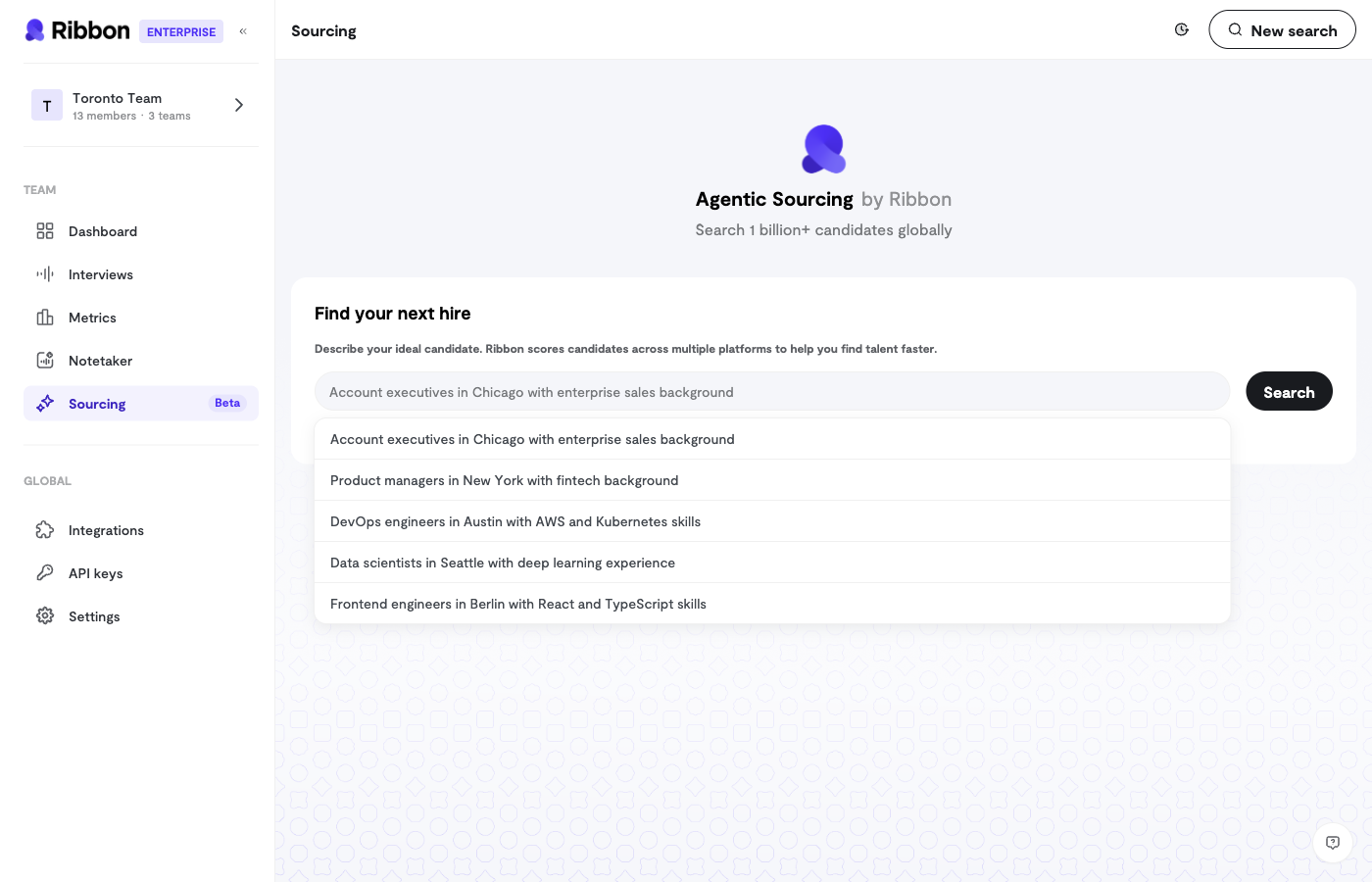 Ribbon's Sourcing feature helps you find qualified candidates using AI-powered search and outreach.
## AI-Powered Candidate Search
The Sourcing chat interface lets you describe who you're looking for in natural language:
* "Find software engineers with React experience in San Francisco"
* "Show me product managers who have worked at startups"
* "Search for sales reps with SaaS experience"
The AI searches across available candidate pools and returns matching profiles.
### Search Progress
When you submit a search, you'll see a real-time progress indicator as the AI:
1. Interprets your requirements
2. Searches candidate databases
3. Ranks and filters results
4. Returns the best matches
### Chat History
Your searches are saved, so you can:
* Return to previous searches
* Refine earlier queries
* Build on past results
## Candidate Outreach
Once you've found candidates, send them interview invitations directly from Ribbon.
### Outreach Workflow
1. **Select Interview** - Choose which interview flow to invite them to
2. **Confirm Candidates** - Review the candidate list and emails
3. **Draft Message** - Write your invitation (or use a template)
4. **Preview & Send** - Review the email before sending
### Customizing Outreach
For each outreach campaign, you can customize:
* **Subject Line** - The email subject candidates will see
* **Message Body** - Your personalized invitation
* **Interview Link** - Automatically included
### Batch Sending
Send invitations to multiple candidates at once:
1. Select all candidates you want to reach
2. Compose a single message
3. Each candidate receives a personalized email with their unique interview link
## Tips for Effective Sourcing
### Writing Good Search Queries
Be specific about what you're looking for:
| Less Effective | More Effective |
| -------------- | -------------------------------------------------- |
| "engineers" | "backend engineers with Python and AWS experience" |
| "salespeople" | "enterprise sales reps with 5+ years B2B SaaS" |
| "designers" | "product designers who have worked on mobile apps" |
### Outreach Best Practices
* **Personalize when possible** - Reference something specific about the role or company
* **Keep it concise** - Candidates are busy; get to the point
* **Explain the AI interview** - Some candidates may be unfamiliar with the format
* **Set expectations** - Let them know how long the interview takes
## Sourcing Context
You can optionally connect sourcing to:
* **Interview Flow** - Search for candidates who match a specific role
* **Previous Interviews** - Find similar candidates to your best performers
This helps the AI understand exactly what you're looking for.
Ribbon's Sourcing feature helps you find qualified candidates using AI-powered search and outreach.
## AI-Powered Candidate Search
The Sourcing chat interface lets you describe who you're looking for in natural language:
* "Find software engineers with React experience in San Francisco"
* "Show me product managers who have worked at startups"
* "Search for sales reps with SaaS experience"
The AI searches across available candidate pools and returns matching profiles.
### Search Progress
When you submit a search, you'll see a real-time progress indicator as the AI:
1. Interprets your requirements
2. Searches candidate databases
3. Ranks and filters results
4. Returns the best matches
### Chat History
Your searches are saved, so you can:
* Return to previous searches
* Refine earlier queries
* Build on past results
## Candidate Outreach
Once you've found candidates, send them interview invitations directly from Ribbon.
### Outreach Workflow
1. **Select Interview** - Choose which interview flow to invite them to
2. **Confirm Candidates** - Review the candidate list and emails
3. **Draft Message** - Write your invitation (or use a template)
4. **Preview & Send** - Review the email before sending
### Customizing Outreach
For each outreach campaign, you can customize:
* **Subject Line** - The email subject candidates will see
* **Message Body** - Your personalized invitation
* **Interview Link** - Automatically included
### Batch Sending
Send invitations to multiple candidates at once:
1. Select all candidates you want to reach
2. Compose a single message
3. Each candidate receives a personalized email with their unique interview link
## Tips for Effective Sourcing
### Writing Good Search Queries
Be specific about what you're looking for:
| Less Effective | More Effective |
| -------------- | -------------------------------------------------- |
| "engineers" | "backend engineers with Python and AWS experience" |
| "salespeople" | "enterprise sales reps with 5+ years B2B SaaS" |
| "designers" | "product designers who have worked on mobile apps" |
### Outreach Best Practices
* **Personalize when possible** - Reference something specific about the role or company
* **Keep it concise** - Candidates are busy; get to the point
* **Explain the AI interview** - Some candidates may be unfamiliar with the format
* **Set expectations** - Let them know how long the interview takes
## Sourcing Context
You can optionally connect sourcing to:
* **Interview Flow** - Search for candidates who match a specific role
* **Previous Interviews** - Find similar candidates to your best performers
This helps the AI understand exactly what you're looking for.